Managing applications and participants
Once people start signing up, this is where you work. There are two stages, and the second one is the one organizers most often forget exists.
Stage one: deciding
Applications arrive with a status of pending. You can approve, reject, or waitlist each one.
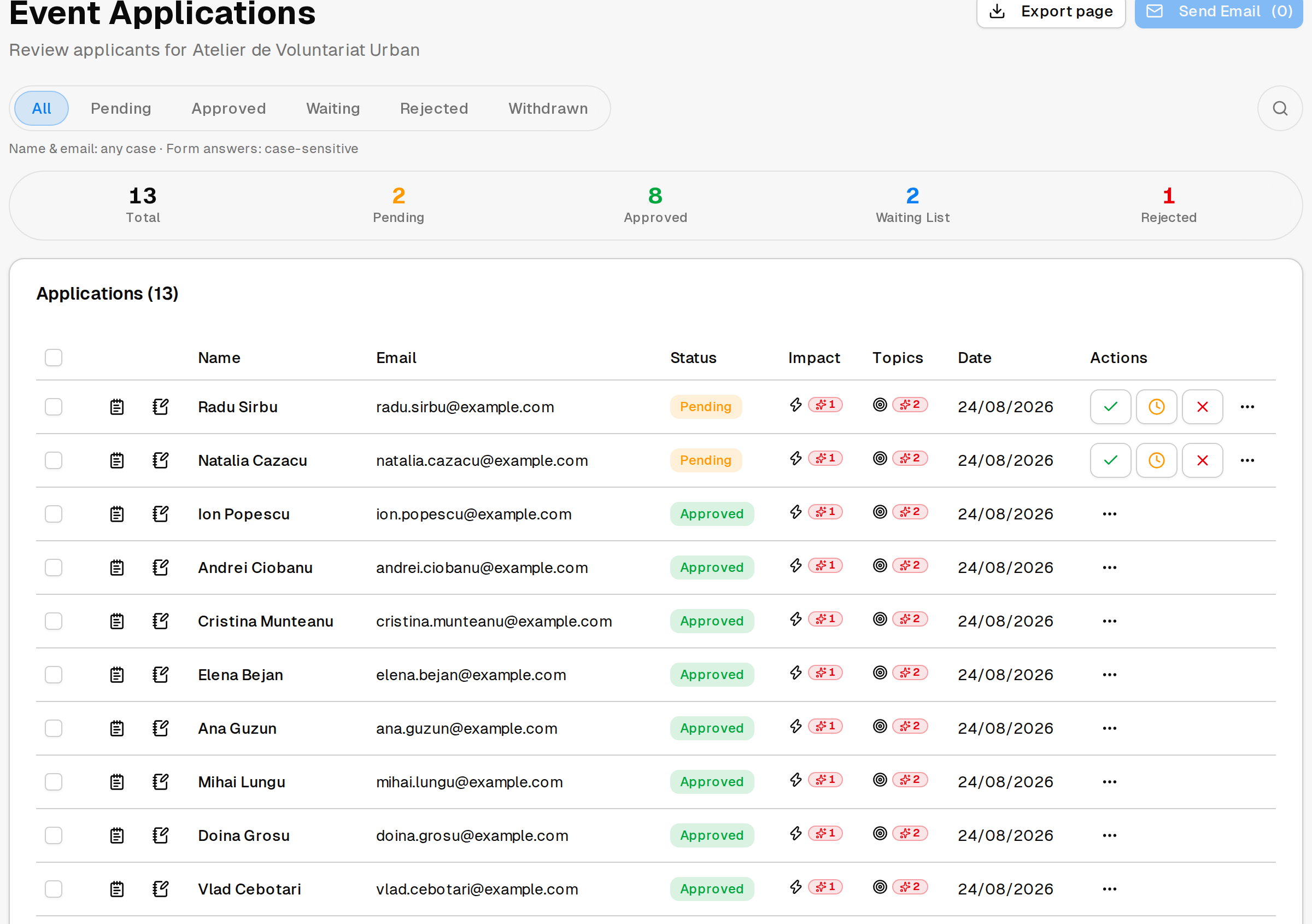
Waitlisting is worth using properly rather than as a soft rejection. If people drop out — and they do — a waitlist is what lets you fill the places without starting again.
Stage two: getting people to confirm
Approving somebody does not mean they are coming. Approved people are asked to confirm, and until they do, their place is not settled.
You will see participants as awaiting confirmation, confirmed, needs more time, declined, or no response.
Watch the no-response group. These are people you accepted who never answered. If your event is full and has a waitlist, they are the places you can recover — but only if you look. Nothing happens automatically.
Give people a real deadline to confirm by, and tell them what happens if they miss it.
Messaging people
You can send a message to:
- everyone who has confirmed;
- specific participants you pick;
- specific applicants you pick;
- the people who follow your organization.
The first three are the ones you will use for running the event — a change of room, what to bring, a reminder the day before.
Messaging your organization’s followers is limited, deliberately. You can do it once a day per event, and there is a cap on how many times in total for a given event, depending on your plan. It is meant for announcing an event to people who asked to hear from you, not as a channel to use repeatedly. See Plans and limits.
Two cases where messaging is unavailable: while an event is still under review, and after an event has been cancelled.
How many people you can take
Each event has a cap on participants, set by your plan. See Plans and limits.
Cancelling
If you have to cancel, do it through the event rather than deleting it or leaving it up. Cancelling notifies the people who registered and lets you tell them why. The event stays visible, marked cancelled, so anyone who signed up finds out what happened.